
Corsair Virtuoso XT vs HS80 MAX: Which Fits Your Game and Phone Setup?
Choose Virtuoso XT for Bluetooth music alongside wireless game audio, a wired fallback or a removable microphone. Choose the original HS80 MAX if you prefer an attached flip-to-mute boom and switching between game and phone media; it still accepts phone calls in RF mode.
Published by Pickoryx · Published 2026-10-11
Source checked 2026-10-11 03:44 UTC
Products compared
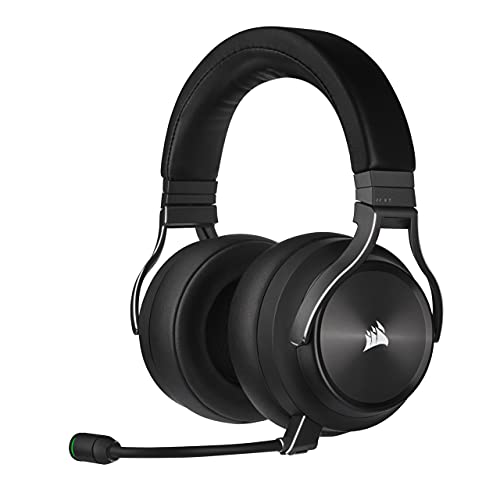
Product A · ASIN B09BXZKNDB
Corsair Virtuoso RGB Wireless XT — Slate
Last observed offer
$279.00
Per listed package.
Offer eligibility must be confirmed on Amazon.
Checked 2026-10-19 07:19 UTC. Price and availability may change.

Product B · ASIN B0D5Z1C5TB
Corsair HS80 MAX Wireless — Gray
Last observed offer
$144.00
Per listed package.
Offer eligibility must be confirmed on Amazon.
Checked 2026-10-19 09:45 UTC. Price and availability may change.
Pickoryx may earn a commission from qualifying purchases through the paid Amazon links on this page, at no added cost to you.
The buying question
Do you need phone music alongside game audio, and should the microphone come off or stay attached?
XT combines more audio routes with a removable boom; MAX favors an attached flip-to-mute boom and switching between game and phone media.
Quick verdict
Choose Corsair Virtuoso RGB Wireless XT — Slate if
- Your phone supplies music while the game host supplies game audio.
- You need wired PC audio or want the microphone physically removed.
Choose Corsair HS80 MAX Wireless — Gray if
- You want the boom to stay attached and lift it to mute.
- Switching media sources suits you; simultaneous phone music is not essential.
When the recommendation changes
- Phone music needs to play alongside the game rather than between sessions.
- A wired PC connection becomes essential.
- You want to remove the boom for listening.
The differences that matter
Game Phone Routing And Wired Fallback
What this changes: Choose XT for phone music alongside wireless game audio or a wired PC fallback. MAX fits switching between game and phone media. Its call exception does not establish whether game audio continues, mixes or pauses during a call.[1, 2, 4, 5]
Microphone Removal And Mute Routine
What this changes: XT suits listening with the boom physically removed; keep track of it for the next chat. MAX suits an attached boom you can raise to mute, but it cannot be removed for listening.[1, 2, 3, 4]
Best for your routine
Phone music during a wireless gaming session
Best fit: Corsair Virtuoso RGB Wireless XT — Slate
Based on listed features, not comparative testing.
XT explicitly supports the two audio sources together; original MAX requires Bluetooth mode for phone media.
Keep the microphone attached and raise it to mute
Best fit: Corsair HS80 MAX Wireless — Gray
Based on listed features, not comparative testing.
MAX follows that physical routine. Choose XT instead if removing the boom is more useful.
Value and trade-offs
One or both observed offers have eligibility conditions, so no unrestricted price difference is shown.
If XT costs more, pay for audio routing or microphone removal you will actually use. If MAX costs more, an attached flip-to-mute boom may still fit your routine, but this comparison does not establish better sound or comfort.
There is insufficient price history here for a purchase-timing recommendation.
Limitations
- No hands-on or controlled comparison establishes a sound-quality, microphone-quality, comfort, latency or durability winner.
- This comparison covers Slate XT CA-9011188-NA and original Gray HS80 MAX CA-9011295-WW. The MAX manufacturer product page is CA-9011295-NA; the original-model guide supports the controls described here, but regional package contents and warranty equivalence are unverified. Check the exact seller package. Xbox MAX, HS80 v2 MAX and HS80 RGB USB are different models.
- The MAX guide permits phone calls in RF mode but does not establish what happens to game audio during those calls. Do not treat that exception as proof of simultaneous game and phone music.
- Start at a low listening volume and take breaks; both guides warn about prolonged high-volume listening.
Questions shoppers ask
Will charging the HS80 MAX turn it into a wired USB headset?
No. Corsair explicitly lists its USB connection as charging-only. If wired PC audio is part of your plan, XT has a documented USB audio mode.
Which mute control should I use?
On XT, briefly press the microphone button; a long press changes sidetone instead. On original MAX, raise the boom. The MAX volume-wheel press changes EQ presets.
Methodology and sources
Compared documented audio routes and microphone controls for the selected models, keeping the original HS80 MAX separate from its Xbox version.
AI performed source research, drafting and editing using Corsair product pages, guides and support documentation. Pickoryx did not test either headset hands-on.
View 5 sources
- 1.VIRTUOSO RGB WIRELESS XT High-Fidelity Gaming Headset — SlateCorsair · Official specifications · Source checked 2026-10-11 03:42 UTC
Evidence used on this page
- L27,57; L169-179; L186-190; L238-241: Exact Slate CA-9011188-NA: simultaneous game audio and Bluetooth media/calls; detachable microphone.
- 2.VIRTUOSO RGB WIRELESS XT Quick Start Guide (49-002150 AC)Corsair · Official specifications · Source checked 2026-10-11 03:43 UTC
Evidence used on this page
- P5 L138-155; P6 L189-195,208-235; P6 L222 (listening precaution): English wired-mode and microphone-control sections: PC USB audio, analog controller route, short-press mute and long-press sidetone. Manufacturer-linked guide establishes model procedures, not regional package equivalence.
- 3.HS80 MAX WIRELESS Gaming Headset, Steel GrayCorsair · Official specifications · Source checked 2026-10-11 03:43 UTC
Evidence used on this page
- L27,98; L378-395; L450-465; L484-498: Original HS80 MAX Steel Gray CA-9011295-NA specifies a non-detachable, flip-to-mute microphone. Named-model/base-part scope; regional package and warranty equivalence to CA-9011295-WW is unverified.
- 4.HS80 MAX Wireless Gaming Headset: Quick Start GuideCorsair · Official specifications · Source checked 2026-10-11 03:43 UTC
Evidence used on this page
- L79-105; L127-139; L161-181; L216-232; L120 (listening precaution): Original HS80 MAX tab: RF/Bluetooth media switching with phone-call exception in RF; flip-up mute. The separate Xbox tab is not used.
- 5.Headset Compatibility and Console SupportCorsair · Official specifications · Source checked 2026-10-11 03:44 UTC
Evidence used on this page
- L69-79: Separate original HS80 Wireless MAX and Virtuoso RGB XT rows: MAX USB is charging only; XT has USB wired and analog routes.