
KIOXIA EXCERIA PLUS G2 1TB vs Samsung T9 1TB: Passwords and Portability
Choose KIOXIA EXCERIA PLUS G2 for a smaller carry kit with a Windows-based password workflow. Choose Samsung T9 if compatible Mac support for password management is important enough to accept the larger body. Check software access before buying either for protected files.
Published by Pickoryx · Published 2026-10-10
Source checked 2026-10-10 16:12 UTC
Products compared
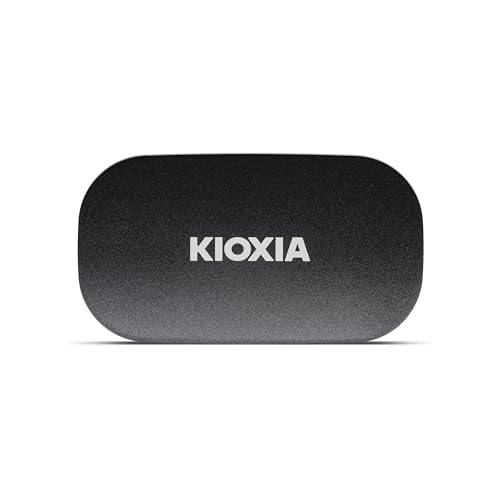
Product A · ASIN B0DRDBT6RV
KIOXIA EXCERIA PLUS G2 Portable SSD 1TB
Last observed offer
$301.74
Per listed package.
Offer eligibility must be confirmed on Amazon.
Checked 2026-10-19 16:42 UTC. Price and availability may change.

Product B · ASIN B0CHFSWM2P
Samsung T9 Portable SSD 1TB
Last observed offer
$239.99 List Price: $287.99
Per listed package.
Offer eligibility must be confirmed on Amazon.
Checked 2026-10-19 15:18 UTC. Price and availability may change.
Pickoryx may earn a commission from qualifying purchases through the paid Amazon links on this page, at no added cost to you.
The buying question
Which drive fits your password-protected workflow and everyday carry setup?
KIOXIA’s smaller body versus T9’s broader supported utility platforms.
Quick verdict
Choose KIOXIA EXCERIA PLUS G2 Portable SSD 1TB if
- You value compact carry and can run SSD Utility on your Windows hosts.
Choose Samsung T9 Portable SSD 1TB if
- You need Magician on a supported Mac as well as Windows.
When the recommendation changes
- Your workplace restricts software installation or administrator access.
- You need to unlock files on a phone, tablet or another host: verify that exact protected-drive workflow first.
The differences that matter
Password Software Host Compatibility
What this changes: For password-protected work on a compatible Mac, favor T9. For Windows-only use, either can fit: first confirm that you can install and run its utility on every computer where you must unlock files. A USB connection alone does not establish that workflow.[2, 3, 1, 7, 8]
Portable Handling And Cable Setup
KIOXIA EXCERIA PLUS G2 Portable SSD 1TB
Typical 72 × 40 × 11.8 mm and 42 g. Includes 300 mm USB-C-to-C and USB-C-to-A cables.[1]
Samsung T9 Portable SSD 1TB
88 × 60 × 14 mm and nominal 122 g; weight can vary by capacity. Includes USB-C-to-C and USB-C-to-A cables.[6]
What this changes: Choose KIOXIA when carrying less bulk and weight matters. Either box covers these two connector shapes; lay out your host and drive before buying to check cable reach and somewhere stable to place the drive.[1, 6]
Best for your routine
A small Windows-based travel kit
Best fit: KIOXIA EXCERIA PLUS G2 Portable SSD 1TB
Based on listed features, not comparative testing.
KIOXIA reduces the size and weight you carry; access to its required utility still needs checking.
Password management on a compatible Mac
Best fit: Samsung T9 Portable SSD 1TB
Based on listed features, not comparative testing.
T9 fits the documented Mac software route, at the cost of a larger body. Minimum OS support does not guarantee every installation.
Value and trade-offs
One or both observed offers have eligibility conditions, so no unrestricted price difference is shown.
Pay more only for a benefit you will use: a smaller carry kit or the utility platform your work requires. Encryption alone is not a reason to pay extra; both specify AES-256 hardware encryption.
There is not enough verified price history here to recommend buying now or waiting.
Limitations
- KIOXIA’s exact LXD20K001TG8 part is documented on its European page. That does not establish US warranty coverage or authorized-distributor status; confirm these with the seller. This comparison does not substitute LXD21K001TG8.
- Neither drive was tested hands-on for this comparison. Transfer speed, long-term reliability and real-world drop survival are not ranked.
- KIOXIA’s 26-drop, 1.22 m procedure and Samsung’s controlled 3 m drop are not equivalent tests. Samsung excludes drop/physical damage from warranty.
- Keep KIOXIA uncovered while operating, avoid touching it when hot, and let it cool after disconnection. Samsung recommends airflow under heavy workloads.
- Software eligibility is separate from file-system and host compatibility. Samsung’s current guide also documents restrictions for Macs booting from external disks; check that configuration before relying on it.
Questions shoppers ask
Does “Mac compatible” mean the KIOXIA password utility runs on a Mac?
No. KIOXIA distinguishes drive compatibility from SSD Utility compatibility. Its current utility download lists Windows; do not assume that reading unprotected files on a Mac means you can unlock the protected drive there.
What should I check after setting a KIOXIA password?
KIOXIA says to safely remove the G2, run SSD Utility, reconnect it and confirm the black shield indicating a locked drive. Follow its model-specific confirmation guide and contact support if the state is unclear.
Can resetting a forgotten password preserve my files?
Do not count on it. KIOXIA Revert Device and Samsung’s documented revert/reset paths delete data. Store the password securely and keep an independent backup on other storage before relying on either drive for important files.
Does T9’s 2,000 MB/s headline apply to 1TB writes?
Samsung’s capacity-specific sheet rates the 1TB model at up to 1,950 MB/s writes and 2,000 MB/s reads. KIOXIA lists up to 1,000 MB/s writes and 1,050 MB/s reads. These are manufacturer ceilings under specified conditions, not our measured results; host interface and cable matter.
Methodology and sources
We separated drive-file compatibility from password utility requirements, then compared carrying dimensions, included cables and the manufacturers’ handling cautions. No device settings were changed.
AI-assisted research and drafting, checked against the cited documents.
View 9 sources
- 1.EXCERIA PLUS G2 Portable SSD specificationsKIOXIA · Official specifications · Source checked 2026-10-10 16:10 UTC
Evidence used on this page
- Specifications; Product Info 1TB; footnotes 1–4; backup notice: European page identifies LXD20K001TG8; physical specifications, cables, host caveats and handling precautions. Regional warranty is not applied to US purchases.
- 2.SSD Utility download and requirementsKIOXIA · Official specifications · Source checked 2026-10-10 16:11 UTC
Evidence used on this page
- Download SSD Utility; Important Notice: Version 6.6.0.09 explicitly supports G2 Portable, Windows 11/10 x64, requires system administrator; backup notice.
- 3.SSD Utility 6.6.0.09 User GuideKIOXIA · Official specifications · Source checked 2026-10-10 16:11 UTC
Evidence used on this page
- Printed pages 26–43: EXCERIA PLUS G2 Portable SSD; distinguish earlier non-G2 section: G2 password lock/unlock and Revert Device data-erasure warning.
- 4.Confirming portable SSD password protectionKIOXIA · Official specifications · Source checked 2026-10-10 16:11 UTC
Evidence used on this page
- PDF pages 1–2, G2 procedure: Safely remove, open Utility, reconnect and confirm black shield; support referral if not confirmed.
- 5.Portable SSD T9 1TB, US modelSamsung · Official specifications · Source checked 2026-10-10 16:10 UTC
Evidence used on this page
- Product heading and model code: Identifies 1TB MU-PG1T0B/AM; headline speed is not used for capacity-specific writing speed. No offer adopted.
- 6.Samsung Portable SSD T9 data sheet, revision 1.0Samsung · Official specifications · Source checked 2026-10-10 16:10 UTC
Evidence used on this page
- PDF pages 3–4; 1TB column; notes 2–6; AM model row: Nominal size/weight, included cables, AES-256, 1TB 1950 MB/s write maximum, controlled drop and airflow qualifiers. Older software minima not treated as current.
- 7.Samsung Magician 9 installation guide, revision 1.9Samsung · Official specifications · Source checked 2026-10-10 16:11 UTC
Evidence used on this page
- PDF page 4 requirements; page 6 T9; pages 9–11 limitations; page 12 PSID Revert; page 13 Security Setting: Current desktop minimum OS requirements; T9 included; reset deletes data; no password retrieval. Mac external-boot restrictions.
- 8.Samsung Magician software and supported platformsSamsung · Official specifications · Source checked 2026-10-10 16:10 UTC
Evidence used on this page
- Data protection; Supported Models; FAQ Which OS platforms: Magician 9 supports Windows/macOS/Android; current FAQ states Android 7.0+. Features vary by OS/model.
- 9.Samsung Portable SSD troubleshootingSamsung · Official specifications · Source checked 2026-10-10 16:11 UTC
Evidence used on this page
- If I lost my password: Portable SSD factory reset deletes stored data; contact authorized support.