Skip to content

Best picks for your needs

Product comparisons to help you choose.

Showing 25–48 of 972 · Page 2 of 41

Anker 351 A9192

ASIN B09SG2Q23M

Belkin PivotPlug BP112230-08

ASIN B000JE9LD4

Electronics & accessories

Anker 351 A9192 vs Belkin PivotPlug BP112230-08

Choose Anker 351 when its face-mounted socket layout and 5 ft cord fit your setup. Choose Belkin PivotPlug when its eight pivoting outlets or 8 ft cord solve a placement need.

Read comparison

Anker 543

ASIN B08C9HZ5YT

555

ASIN B087QZVQJX

Electronics & accessories

Anker 543 vs 555: Check Power and Display Separately

Choose the Anker 543 when its up-to-53W laptop output and 4K 30Hz HDMI ceiling cover your needs on a compatible host. Choose the 555 for an up-to-85W laptop power budget or 4K 60Hz HDMI with a DP 1.4-capable host.

Read comparison

Anker 565

ASIN B09Q5V9G5P

575

ASIN B088F7SY6S

Electronics & accessories

Anker 565 vs 575: Which Fits Your Power and Monitor Setup?

Choose the 565 if you already have suitable USB-C PD charging hardware and its HDMI-plus-DisplayPort arrangement fits. Choose the 575 for a supplied power adapter and host cable, two native HDMI sockets, or a compatible three-monitor Windows setup.

Read comparison

Anker 565

ASIN B09Q5V9G5P

Nano A83C3

ASIN B0FCLC1RMM

Electronics & accessories

Anker 565 vs Nano A83C3: Which Setup Fits Your Desk and Bag?

Choose the Anker 565 if you want one fixed hub with HDMI, DisplayPort, Ethernet and audio to travel together. Choose the Nano A83C3 if leaving desk leads attached while a smaller hub travels is useful, or if your desk needs two native HDMI sockets.

Read comparison

Anker 565

ASIN B09Q5V9G5P

Plugable UD-3900PDZ

ASIN B08DDH5CPW

Electronics & accessories

Anker 565 vs Plugable UD-3900PDZ: Choose by Displays and Peripherals

Choose by the display path and the devices already on your desk. Anker documents HDMI plus DisplayPort and a card-reader/USB-C data mix; Plugable documents three HDMI outputs, with two relying on DisplayLink software, and six USB-A ports.

Read comparison

Anker 633

ASIN B09NRG4GK3

Fusion A1637

ASIN B0CX4992Z8

Electronics & accessories

Anker 633 vs Fusion A1637: Choose How You Hold and Recharge

Choose the Anker 633 for magnetic charging and a foldout viewing stand, after checking your exact iPhone and case. Choose the USB-C Fusion A1637 if you prefer a cable between phone and bank and want an integrated AC plug for refilling the bank.

Read comparison
Anker 715

ASIN B08T5QN2TR

UGREEN Nexode Pro 65W Slim

ASIN B0CD1NVW7R

Electronics & accessories

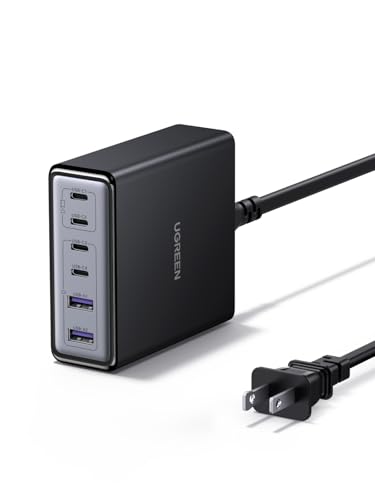
Anker 715 vs UGREEN Nexode Pro 65W Slim

Choose the Anker 715 for a dedicated single-device setup. Choose the UGREEN Nexode Pro 65W Slim for its flatter shape or multiple connections, but budget only 45W for the laptop on USB-C1 when charging other devices too.

Read comparison

Anker 737 A1289

ASIN B09VPHVT2Z

A1695

ASIN B0DCBB2YTR

Electronics & accessories

Anker 737 A1289 vs A1695: Which Cable and Output Setup Fits?

Choose by the connections you will actually use. The A1289 lists two USB-C socket ports and one USB-A port, with a 140W total maximum and a USB-C profile up to 28V/5A; Anker says reaching 140W requires a PD 3.1 device and cable.

Read comparison

Anker A110A

ASIN B0F66LNB8D

A1695

ASIN B0DCBB2YTR

Electronics & accessories

Anker A110A vs A1695: Which Power-Bank Workflow Fits Your Gear?

A1695 is a fit if you prioritize its maker-documented built-in USB-C cables. A110A may fit if its USB-C/USB-A port mix and app controls match your devices, particularly when you already have the specified dual-input chargers and cables.

Read comparison

Anker A1637 Fusion

ASIN B0CX4992Z8

A1383

ASIN B0CXDXP8VR

Electronics & accessories

Anker A1637 Fusion vs A1383: Which Fits Your Charging Kit?

Choose the A1637 Fusion when eliminating a separate wall charger matters and its up-to-30W USB-C output fits your device. Choose the A1383 when a compatible device needs more power, up to 65W, and you can provide an external USB-C recharge supply.

Read comparison

Anker A1695

ASIN B0DCBB2YTR

UGREEN 35525

ASIN B0CXHM5RY2

Electronics & accessories

Anker A1695 vs UGREEN 35525: Output Headroom, Ports and Travel Fit

Choose Anker A1695 for an integrated-cable, three-USB-C/four-port workflow with a documented 165W maximum, subject to its lower three/four-device combined ceiling. Choose UGREEN 35525 for the higher manufacturer-labeled total output, 140W USB-C1 and TFT format.

Read comparison

Anker A8357

ASIN B0DKT8BB4M

Belkin AVC018

ASIN B0BY27XSJ3

Electronics & accessories

Anker A8357 vs Belkin AVC018: USB Plugs and Transfer Limits

Choose Anker A8357 for USB-A accessories when an up-to-5Gbps ceiling is enough. Choose Belkin AVC018 for native USB-C accessories or a storage path rated up to 10Gbps, with one of its four ports occupied if you use pass-through charging.

Read comparison