ASUS TUF X870-PLUS
ASIN B0DGB8Q19Y

ROG Strix X870E-E
ASIN B0DDZNZF76
ASUS TUF X870-PLUS vs ROG Strix X870E-E: Which Build Needs the Extra M.2 and Rear I/O?
Choose by the exact Ryzen CPU and devices in the build.
Read comparisonProduct comparisons to help you choose.
976 of 2447 comparisons
Showing 145–168 of 976 · Page 7 of 41

ASUS TUF X870-PLUS
ASIN B0DGB8Q19Y

ROG Strix X870E-E
ASIN B0DDZNZF76
Choose by the exact Ryzen CPU and devices in the build.
Read comparison
ASUS VA249QG
ASIN B0DM6R51KT

ProArt PA278QV
ASIN B088BC5HMM
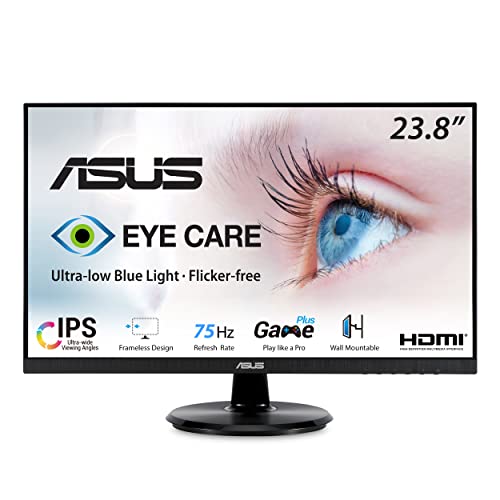
Choose VA249QG for 1080p100/120Hz through a compatible HDMI or DisplayPort connection, accepting its tilt-only stand. Choose PA278QV for native QHD or built-in height and portrait adjustment, accepting its 75Hz maximum.
Read comparison
ASUS VA24DQ
ASIN B08C5MGFXQ

VA24DQSB
ASIN B09F9WVYTY
The VA24DQSB is the better feature fit when you need height, swivel, portrait pivot, or USB ports at the display. The VA24DQ keeps the stand to tilt and omits USB 2.0 ports, so it fits a fixed setup with peripherals connected elsewhere.
Read comparison
ASUS VA24DQSB
ASIN B09F9WVYTY

Dell SE2426H
ASIN B0GLQXKKVY
Choose ASUS VA24DQSB for height or portrait adjustment on the included stand if 75 Hz is enough. Choose Dell SE2426H for HDMI input up to 144 Hz if its tilt-only stand suits your desk.
Read comparison
ASUS VA24DQSB
ASIN B09F9WVYTY

ProArt PA278QV
ASIN B088BC5HMM
Choose VA24DQSB for a direct VGA connection when Full HD is enough. Choose PA278QV for native QHD or a matching direct DVI or Mini DisplayPort connection.
Read comparison
ASUS VA24DQSB
ASIN B09F9WVYTY

VA249QG
ASIN B0DM6R51KT
Choose VA24DQSB when the supplied stand must raise the screen or turn it to portrait and 75 Hz is enough. Choose VA249QG for documented 1080p at 100/120 Hz over HDMI or DisplayPort when a tilt-only stand suits your setup.
Read comparison
ASUS VA279HG
ASIN B0DM6SNBGM

VA249QG
ASIN B0DM6R51KT
Both are 1920 × 1080 monitors, so the practical choice is screen size and connection fit. VA279HG gives you a 27-inch panel; VA249QG is 23.8 inches, has smaller listed body dimensions, and adds DisplayPort 1.2 while retaining HDMI and VGA.
Read comparison
ASUS VA279QG
ASIN B0DM6S4FMH

VA279HG
ASIN B0DM6SNBGM
VA279QG is the fit for a setup that needs DisplayPort or wants built-in stereo speakers. VA279HG fits a setup where HDMI/VGA are sufficient and audio is already handled separately; it has no built-in speakers.
Read comparison
ASUS VG27AQ3A
ASIN B0BZR9TMBJ

PA278QV
ASIN B088BC5HMM
Choose VG27AQ3A for QHD above 75 Hz with a capable source: up to 144 Hz over HDMI or 180 Hz over DisplayPort, accepting fixed stand height.
Read comparison
ASUS VG27AQL5A
ASIN B0F237NSVQ

PA278CV
ASIN B08LCPY1TR
Choose TUF VG27AQL5A for QHD refresh rates above 75 Hz, with a compatible source and connection. Choose ProArt PA278CV for USB-C laptop video, peripherals and up to 65 W charging if 75 Hz suits your use.
Read comparison
ASUS VG27AQL5A
ASIN B0F237NSVQ

VA24DQSB
ASIN B09F9WVYTY
Choose VG27AQL5A for its 27-inch QHD screen and higher refresh options, provided your computer can supply them; 210 Hz requires DisplayPort and overclocking. Choose VA24DQSB when a narrower Full HD monitor with a VGA input and USB peripheral hub fits the setup.
Read comparison
ASUS VG27AQL5A
ASIN B0F237NSVQ

VG27AQ3A
ASIN B0BZR9TMBJ
The VG27AQL5A is the fit for a DisplayPort setup that can use more than 180Hz or for a desk that benefits from height and pivot adjustment.
Read comparison
ASUS VG27AQM5A
ASIN B0F233D6W1

LG 27GR83Q-B
ASIN B0C63HDHPR
Choose the ASUS if you have a PC and connection path that can use its advertised 300Hz ceiling; choose the LG if its 240Hz ceiling is enough and you want height and pivot adjustment plus a built-in USB connection.
Read comparison
ASUS VG27AQM5A
ASIN B0F233D6W1

VG27AQL5A
ASIN B0F237NSVQ
Both are 27-inch 2560 x 1440 Adaptive-Sync gaming monitors. ASUS lists the VG27AQM5A manual's QHD timing modes through 300Hz; ASUS labels the VG27AQL5A's 210Hz ceiling as overclocked (210Hz(OC)), with its U.S.
Read comparisonASUS VG32VQM5AZ
ASIN B0FP16J5CV

Samsung G50F 32
ASIN B0G1DZM5QW
Choose the screen format first: ASUS lists a curved 31.5-inch Full HD panel, while Samsung lists a 32-inch QHD panel. Then check the stand: ASUS publishes tilt from -5° to +23° and swivel from -15° to +15°.
Read comparisonASUS VG32VQM5AZ
ASIN B0FP16J5CV
Samsung Odyssey G55C 32
ASIN B0CRGJC5ZD
ASUS lists 1920x1080 with a maximum 240Hz refresh rate; Samsung lists QHD 2560x1440 with a maximum 165Hz rate. Pick by the mode your source device can use and the input counts and mounting details that fit your setup.
Read comparison
ASUS VG34WQML5A
ASIN B0F237K67L

LG 34U60ZB-B
ASIN B0GXCG7ZTF
Choose the ASUS when its published 250Hz ceiling or its specifically listed PIP/PBP and USB hub match your setup. Choose the LG when 120Hz is sufficient and you prefer LG Switch screen-layout controls or its 1800R curve.
Read comparison
ASUS VP327Q
ASIN B0C7G6F8BY

VY27UQ
ASIN B0CV1V12R7
Choose the VP327Q if you want its listed 31.5-inch screen and have room for its larger overall width with the stand attached.
Read comparison
ASUS XG27ACS
ASIN B0CV24GQ9W

LG 27GR83Q-B
ASIN B0C63HDHPR
The LG is the connectivity and refresh-rate choice: its 240Hz panel and HDMI 2.1 make the premium easier to justify for high-frame-rate PC gaming or current consoles.
Read comparison

ASUS ZenScreen MB169CK
ASIN B0CPFYVPBG

Lenovo L15
ASIN B0B5GRGCX5
Start with the laptop's video output and the monitor's mounting point.
Read comparison
ASUS ZenScreen MB169CK
ASIN B0CPFYVPBG

MB16ACV
ASIN B0966YYP65
Choose the MB169CK if you want a Mini HDMI route alongside USB-C and a 360° kickstand.
Read comparison
ASUS ZenScreen MB16ACV
ASIN B0966YYP65

Lenovo L15
ASIN B0B5GRGCX5
Choose ASUS MB16ACV when you need a USB-A display connection and can install its compatible driver. Choose Lenovo L15 when your laptop meets its USB-C video and power requirements and you want its two-hole VESA mounting arrangement or small stand lift.
Read comparison
AT-LP70X
ASIN B0D9KKSYX4

Sony PS-LX3BT
ASIN B0G96H73JD
Choose the Sony PS-LX3BT for direct playback to a compatible Bluetooth receiver, speaker or headphones. Choose the Audio-Technica AT-LP70X-BZ for a wired setup when VM95 stylus-profile options matter.
Read comparison
AULA F75
ASIN B0G3PTHM36

F99
ASIN B0CLLHSWRL
Choose the F75 when its narrower 322.7 mm listed body or rotary volume/lighting dial suits your setup. Choose the F99 when you want the separate numeric keypad depicted in its manual and have room for its 390.63 mm listed width.
Read comparison