Skip to content

Best picks for your needs

Product comparisons to help you choose.

Showing 601–624 of 2430 · Page 26 of 102

Logitech MX Keys S

ASIN B0BKW3LB2B

Wave Keys

ASIN B0BTNY72VD

Electronics & accessories

Logitech MX Keys S vs Wave Keys: Choose by Layout and Lighting

This is a layout-and-lighting choice, not a typing-performance contest. MX Keys S fits a buyer who wants a low-profile surface and adaptive backlighting; Wave Keys fits a buyer who prefers a wave-shaped layout with a cushioned palm rest and can do without illumination.

Read comparison

Logitech MX Master 4

ASIN B0FC5SJNQX

ERGO M575S

ASIN B0BBQ3ZYNY

Electronics & accessories

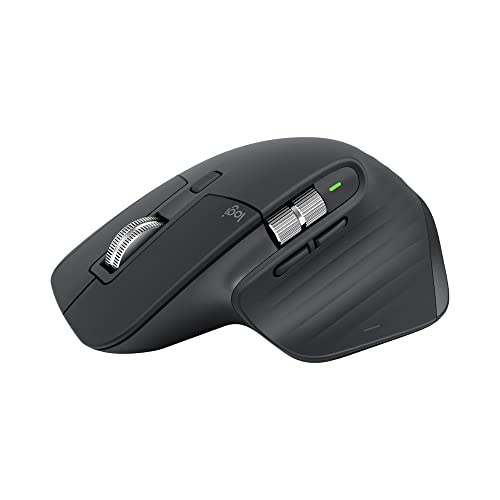
Logitech MX Master 4 vs ERGO M575S

Choose MX Master 4 to keep conventional mouse movement with USB-C recharging. Choose ERGO M575S for stationary thumb-ball control and a replaceable AA battery.

Read comparison

Logitech MX Master 4

ASIN B0FC5SJNQX

MX Vertical

ASIN B07FNJB8TT

Electronics & accessories

Logitech MX Master 4 vs MX Vertical: Choosing the Grip and Controls

Choose MX Master 4 for its two-wheel scrolling layout and customizable shortcut workflow, if its sculpted grip suits you. Choose MX Vertical if you want its 57-degree hand position and its line-by-line wheel covers your work.

Read comparison

Logitech MX Mechanical

ASIN B09LK1P1RD

G413 SE

ASIN B08Z6X4NK3

Electronics & accessories

Logitech MX Mechanical vs G413 SE: Which Keyboard Fits Your Setup?

The MX Mechanical is the feature-fit choice for wireless multi-device switching and proximity-responsive lighting. The G413 SE is the feature-fit choice for a wired keyboard with onboard white-light patterns and brightness controls.

Read comparison

Logitech MX Vertical

ASIN B07FNJB8TT

MX Ergo S

ASIN B0D6PTR6MP

Electronics & accessories

Logitech MX Vertical vs MX Ergo S: Which Fits Your Desk and Devices?

Choose MX Vertical if you want a raised grip while keeping moving-mouse control, especially for three paired devices or a Unifying setup. Choose MX Ergo S if a thumb-controlled pointer that stays in place fits a crowded desk and two device channels are enough.

Read comparison
Logitech Pebble Keys 2 K380s

ASIN B0BT4DP7SC

K585

ASIN B0BL2ND2GC

Electronics & accessories

Logitech Pebble Keys 2 K380s vs K585

Choose Pebble Keys 2 K380s for its narrower layout and three paired-device channels, accepting that it has no dedicated numeric keypad. Choose K585 for a number pad and built-in phone holder when two-device switching is enough.

Read comparison

Logitech Pebble M350s

ASIN B0BT4GFFGR

M720

ASIN B087Z6LSHW

Electronics & accessories

Logitech Pebble M350s vs M720: Which Controls Fit Your Work?

Choose Pebble M350s if one customizable middle click is enough; choose M720 for separate side/thumb shortcuts and its tilt and mode-switching wheel. Both can switch among three paired devices, so device count does not decide this pair.

Read comparison

Logitech PRO X Wired

ASIN B07PDFBJZD

G733

ASIN B081415GCS

Electronics & accessories

Logitech PRO X Wired vs G733: Choose by Connection and Fit Adjustments

Choose the PRO X for its wired connection, documented USB-DAC PC workflow, and leatherette-or-velour earpad choices listed by Logitech. Choose the G733 for LIGHTSPEED wireless via USB receiver, USB-C charging, and adjustable cups with a reversible strap.

Read comparison

Logitech S150

ASIN B000ZH98LU

Z150

ASIN B00EZ9XLEY

Electronics & accessories

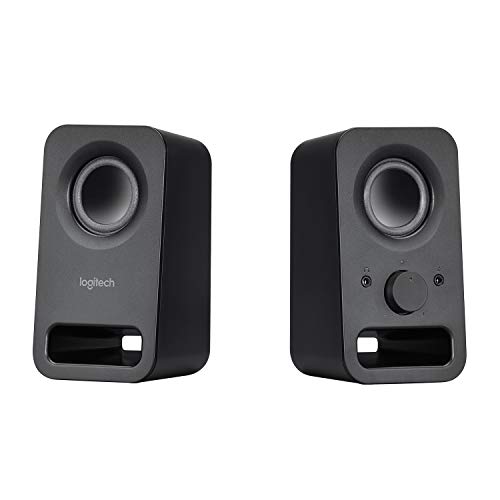
Logitech S150 vs Z150: Which Connection Fits Your Desk?

Choose S150 for a computer-centered USB setup and push-button muting. Choose Z150 for a 3.5 mm source, rotary speaker control and a front headphone connection, provided you can accommodate its AC adapter.

Read comparison

Logitech S150

ASIN B002HWRZ2K

Z313

ASIN B000ZH98LU

Electronics & accessories

Logitech S150 vs Z313: Which Setup Fits Your Desk?

Choose the S150 for computer USB audio and power in a two-speaker setup. Choose the Z313 for a suitable 3.5 mm audio source when you have an outlet and room for its separate subwoofer and wired control pod.

Read comparison